Storyline-style slides, in your browser
Triggers, states and layers, and no Windows machine required.
Scenes is the slide editor inside Scormbusters. It runs in a browser on a Mac, a PC or Linux, sits in the same course as your block lessons, and exports to SCORM 1.2, SCORM 2004, cmi5 and xAPI.
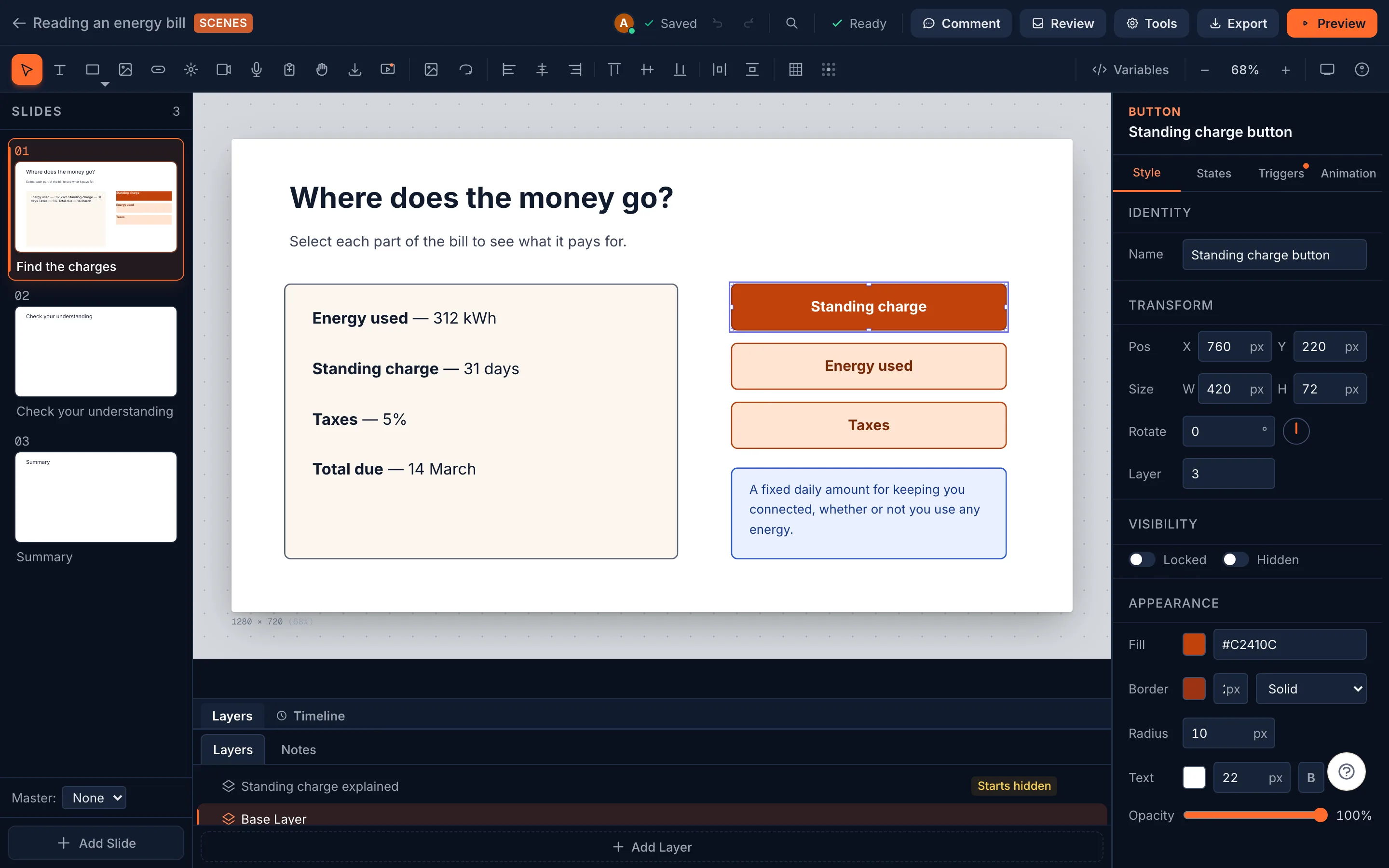
Objects go where you put them
Place, size and rotate anything on the slide, layer it, and lock it. Start from a master slide so a course keeps one look.
- Text
- Shapes
- Images
- Buttons
- Hotspots
- Video
- Audio
- Text entry fields
- Radio buttons
- Checkboxes
- Multiple-choice questions
- True/false questions
- Fill-in-the-blank questions
- Matching questions
- Sequence questions
- Hotspot questions
- Drag items
- Drop zones
9 events, 18 actions
A trigger is an event, optional conditions and a list of actions, in order. Conditions read variables, object states, visited slides and visible layers, and match all or any. A hover trigger can put things back when the pointer leaves.
Events
- When user clicks
- When user double-clicks
- When user hovers
- When mouse leaves
- When slide starts
- When slide ends
- At timeline position
- When variable changes
- When state changes
Actions
- Jump to slide
- Go to next slide
- Go to previous slide
- Show layer
- Hide layer
- Toggle layer
- Show object
- Hide object
- Change object state
- Set variable
- Adjust variable
- Toggle variable
- Open URL
- Complete course
- Submit results
- Play media
- Pause media
- Show correct/incorrect
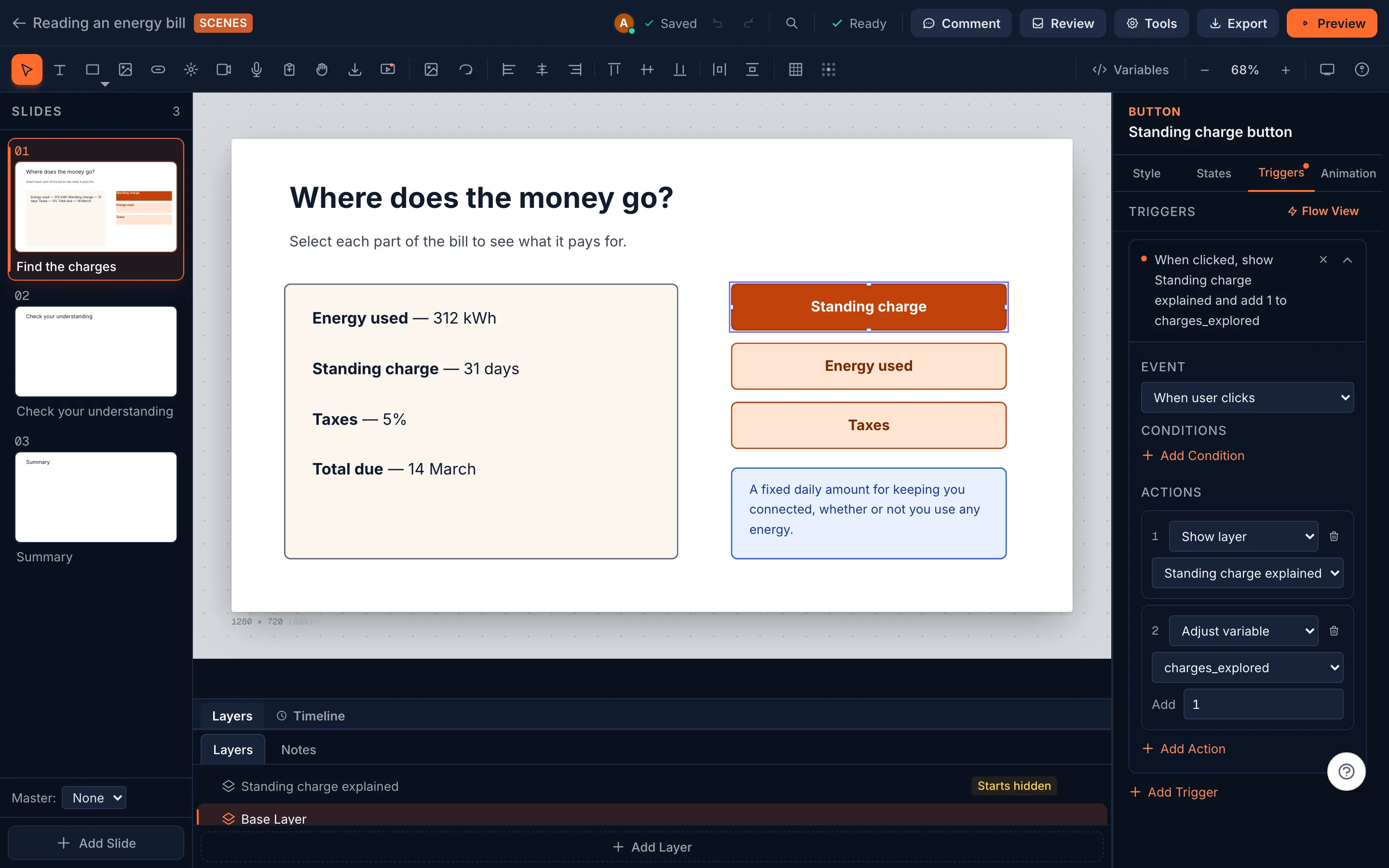
The parts a branching slide is made of
- Object states: Normal, Hover, Visited, Disabled, Selected, Correct and Incorrect built in, plus any you name. Each can change colour, border, text and content.
- Layers you show, hide or toggle from a trigger.
- Variables: true/false, number or text, set, adjusted or toggled by triggers and read by conditions.
- A timeline per slide: objects enter when you say, and a trigger can fire at a moment on it.
- Entrance animations: fade, fly in, zoom, bounce, wipe and spin. Learners who ask for reduced motion see the end state at once.
- Random slide draws:show a set number of slides from a group on each attempt. Storyline’s random question draws import this way.
Graded questions on the slide
Multiple choice, True/false, Fill in the blank, Matching, Sequence and Hotspotquestions, each scored once and the total reported to the LMS. Drag items and drop zones are there for practice that isn’t graded.
What Scenes doesn't do
If one of these is the reason you use Storyline, Scenes isn’t a replacement for it yet.
- No screen recording or software-simulation capture. Record elsewhere and bring the video in.
- No Execute JavaScript trigger. Code lives in a custom interaction block, in a sandboxed frame, outside Scenes.
- Motion paths don't play. The editor can draw one, but neither player runs it yet, and Storyline's motion paths don't import.
- Layers have no timeline of their own: a layer's media can't be cued to the moment it opens.
- It needs a connection: there is no offline desktop app.
Published Storyline opens in Scenes
Upload the HTML5 publish (SCORM, xAPI or web) and each slide comes back on the Scenes canvas with its real text, pictures and media. Triggers are rebuilt where Scenes runs them the same way: 49%of trigger actions across our test corpus. Execute JavaScript, motion paths and the rest go on the import report’s rebuild list.
Questions
Can I build Storyline-style interactions in a browser on a Mac?
Yes. Scenes runs in a web browser on macOS, Windows and Linux, with triggers (9 events, 18 actions), conditions, variables, object states, layers and a timeline. Storyline 360 is a Windows desktop application.
Will my Storyline courses come across?
From the HTML5 publish: slides, real text, images, audio, video and graded questions with their answer keys. Triggers are rebuilt where Scenes runs them the same way, 49% of trigger actions in our test corpus; the import report lists the rest. A .story source file comes in without its triggers.
Is Scenes a separate product?
No. Scenes slides and block lessons live in the same course and the same editor, on every plan, from $20 a month.
Can a learner do it all without a mouse?
The graded questions use native controls (select lists, buttons, radio buttons), so none needs a drag. Drag items can also be placed by selecting the item and then the zone, by keyboard or a single tap.